
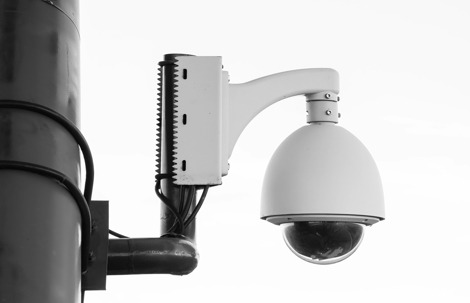
You open your security app and freeze. There is a stranger in your driveway, on your porch, or already inside your building. Your heart is racing, your mind is trying to decide what to do first, and every second feels far too long. In that moment, you are not looking for theory. You need clear, calm instructions you can follow right now.
We have met many Florida homeowners and business owners at exactly this point, sometimes on the phone while an incident is unfolding, other times the next morning when they finally have a moment to breathe. Some people see an intruder live on camera. Others only realize what happened when they notice damage or missing items and go back through recorded clips. Both situations are stressful and both call for a specific security camera intrusion response, not guesswork.
Since 2008, our team at Tison Inc. has designed and installed security and camera systems across homes, offices, and commercial properties throughout Florida. We have seen how the choices made in the first hour after an intrusion affect what law enforcement, insurers, and even our own technicians can do later. In this guide, we share that practical playbook, step by step, so you can protect people first, preserve critical footage, and then strengthen your security based on what actually happened.

What To Do The Moment You See an Intruder on Camera
If you are watching an intruder live on your cameras, your first priority is always safety. Do not confront the person, even if they look small, unarmed, or hesitant. You cannot judge risk from a video feed alone. Get everyone in the property to a safe place, preferably a locked room away from doors and windows, or leave the building entirely if it is safe to do so without crossing the intruder’s path. Keep your phone with you so you can call for help and continue to monitor the situation if that feels safe.
Next, call 911 if you believe a crime is in progress or if anyone could be in danger. When the dispatcher answers, be as direct and specific as you can. State your address clearly, mention that you are watching the intruder on a security camera, and describe what you see in plain language. Details like clothing color, approximate age, visible weapons, whether they appear to be alone, and any vehicle in your driveway or nearby can help officers respond more effectively.
As you talk with dispatch, you can briefly glance at your camera app but avoid doing anything that might disrupt recording or cut off your own access. In most modern systems, you do not need to hit a special button to start recording. NVRs, DVRs, and cloud platforms are already recording continuously or on motion, whether you are watching live or not. That means you can focus on giving good information to police instead of worrying about capturing the moment. Try not to power off or unplug any camera or recorder in an attempt to “lock in” the footage, since that can actually stop recording and create gaps.
Once you and anyone in the building are in as safe a position as possible and you have spoken with 911, stay put unless you are directed otherwise by law enforcement. Resist the urge to step outside to see more with your own eyes or to yell at the intruder through a window. The camera already gives you more information than most people ever have in a break-in. Use that advantage for documentation, not confrontation. Over the years, we have seen Florida property owners get hurt by stepping into situations they could have avoided simply by trusting the camera feed and letting officers handle what is happening outside.
How To Respond When You Discover an Intrusion After the Fact
Many people do not see the intruder live. They come home to a pried open door, a broken window, or an office that does not look quite right, and only then think to check their security cameras. In this scenario, the first step is still safety. Pause at the threshold and ask yourself whether someone could still be inside. If anything feels off or you see signs of forced entry, back away to a safe distance and call 911 rather than walking through the entire space on your own.
Once law enforcement has cleared the property or you are reasonably confident that no one remains inside, try to leave the scene as undisturbed as possible. People often start cleaning up broken glass, moving furniture back into place, or picking up dropped items before officers arrive. That can smear fingerprints, disturb footprints, and change the layout that appears in your camera footage, which can all matter during an investigation. Take a breath, resist that instinct to fix everything right away, and focus on preserving what is there until it has been documented.
When it feels safe, open your security camera app or access your recorder and begin reviewing footage calmly. Start with the approximate timeframe when you believe the intrusion happened, then scroll backward to see when motion first appears. Watch the entire sequence once while taking basic notes, such as time stamps, which cameras caught the approach, what the intruder touched, and how they left. Avoid random clicking through menus or settings in a panic, since it is surprisingly easy to change recording schedules or delete clips accidentally when you are not familiar with your system’s interface.
If you are not sure how to navigate your footage, it is better to leave things as they are until you can get help, either from your installer or from technical support for your camera brand. Our team regularly helps Florida property owners through this step, often over the phone, to reduce the risk of accidental data loss. The goal at this stage is simple. Confirm that the incident is on video and that the system is still recording, without making any changes that could affect the original files.
Preserving Security Camera Footage So It Does Not Get Lost
Once you know your cameras captured the intrusion, the next mission is to keep that video safe. Most recorders and many individual cameras store footage on a hard drive or SD card with limited space. When that space fills up, the system usually begins overwriting the oldest recordings automatically. Depending on how many cameras you have, your chosen resolution, and the size of the storage, your system might only keep a limited period of full-quality video. Acting quickly can prevent the only copy of your incident from disappearing in a routine overwrite cycle.
The safest approach is to create at least two copies of the relevant footage. First, export a clip that covers not only the intrusion itself but also several minutes before and after. Investigators and insurers often want to see how the intruder approached, whether anyone else was nearby, and what route they used to leave. Second, make a backup of that export to a separate device or location, such as another computer, an external drive, or secure cloud storage. That way, if one copy is damaged or lost, you still have another.
Most systems offer some way to export clips in a standard video format like MP4 or AVI. On a recorder, that might involve plugging in a USB drive and using on-screen menus. With a standalone camera that uses an SD card, you may need to remove the card and copy files on a computer. In cloud-based systems, you will typically see a “download” or “save video” option in the app or web portal. In all cases, avoid editing the original file before you have provided a copy to law enforcement. Cropping, adding labels, or compressing the video too much can reduce its usefulness or raise questions about alteration.
As you export, keep the recorder or camera running in its normal mode. Turning it off during export or unplugging it to protect the footage can interrupt writing to the storage device and potentially corrupt files. Confirm that each exported clip plays smoothly on another device, with visible time stamps whenever possible. Our technicians often help customers review their retention settings and storage capacity after an incident when it becomes clear that their current setup only kept a narrow window of footage. Increasing storage or adjusting quality settings can significantly extend how long future events remain available.
Saving Video From Local Recorders and SD Cards
If your cameras connect to a local NVR or DVR, the export process usually starts at that box. Using either the connected monitor and mouse or a web interface, locate the relevant time window on the timeline. When you choose your start and end times for export, always include a buffer on both sides. For example, if the intruder is inside for 3 minutes, you might export 10 minutes that show their approach, entry, activity, and exit. This broader context can reveal extra details like license plates, additional people, or repeated drive-bys.
When working with SD cards inside individual cameras, shut the camera down gracefully if your system provides that option, then remove the card carefully. Insert it into a computer or card reader and copy, rather than move, the video files to a safe folder. Moving files can sometimes fail mid-transfer, leaving you with incomplete data on both ends. After confirming that the copied files open and play correctly, you can reinsert the SD card or consult with a professional about whether to replace it, especially if it has been through Florida heat and storms for several seasons.
Downloading Clips From Cloud-Based Camera Systems
For cloud-based systems, your main tool is usually the mobile app or a web portal. Navigate to the day and approximate time of the incident, then use the scrubber or event list to jump to the right spot. When you find the clip, look for options labeled “download,” “save,” or “export.” Some platforms let you select a custom start and end time, while others only save pre-cut motion events. Whatever the options, try to capture a slightly longer window than the exact moment of the break-in, just as you would with a local recorder.
After downloading, save the file in at least two places. Many people keep the clip only in their phone’s camera roll, then lose it when they change phones, upgrade their operating system, or run out of space. Instead, back it up to a computer, external storage, or a trusted cloud service, and verify that it still plays with clear video and audio. If your cloud provider offers a way to protect or lock a specific clip so that it is not deleted by routine retention policies, use that feature to buy more time while you work with law enforcement and insurers.
Working With Law Enforcement and Your Insurance Company
Law enforcement in Florida sees security camera footage from homes and businesses every day. When officers respond to your property, they will typically want to understand three things quickly. When did the incident happen, what areas of the property were affected, and what cameras or recorders captured it. Be ready to walk them through your notes, show them the live or recorded feed, and point out any obvious damage or signs of forced entry that line up with what appears on the video.
In many cases, officers will review the footage on site using your monitor, TV, or mobile device. They may then ask for a copy, either on a USB drive or later through a secure upload link or evidence portal. Follow their instructions closely. Agencies often have preferred formats or procedures, and those can differ from one Florida jurisdiction to another. Providing an unedited, full-resolution copy with visible time stamps typically helps avoid questions about whether the video has been altered.
From an insurance perspective, your goal is to connect three types of information. The physical damage to your property, the items that were stolen or disturbed, and the timeline captured on your cameras. Take photos of broken windows, doors, cut locks, damaged equipment, or ransacked rooms. Create a written list of missing items with as much detail as you can recall. Then note where and when each of those elements shows up in your video footage. When you contact your insurer to start a claim, this combination often gives them a much clearer understanding of what happened.
Requirements will vary by policy and company, so think of this blog as a practical starting point, not a substitute for your carrier’s instructions. What we see consistently across Florida homes and businesses is that clean, well-preserved footage, paired with good documentation, helps both officers and insurers do their jobs. As a security provider, we design systems with this in mind, placing recorders where officers can access them easily and helping clients plan storage and resolution settings that make evidence sharing smoother when it matters most.
Reviewing Footage To Find Security Gaps
Once the immediate crisis is addressed and the necessary calls have been made, your cameras can teach you a lot about your current security strengths and weaknesses. Set aside time to watch the entire sequence again, preferably when you are calmer. Start before the intruder appears and follow their path step by step. How did they approach your property, where did they hesitate or look around, and how long did they stay? These details reveal where your property feels open to someone looking for an easy target.
As you watch, pay attention to what you cannot see. Are there dark corners where the intruder disappears between cameras, or areas where the image is too grainy or far away to make out clothing or facial features? Many homeowners mount cameras high for a broad view, only to discover that faces are small and unreadable. Others cover driveways but leave side gates and back doors largely unwatched. Make note of any blind spots, fuzzy views, or overexposed scenes where Florida sun or glare wipes out details at certain hours.
Motion detection and alerts are another area where gaps often appear. Did you receive a timely notification when the intruder entered your property, or did the system trigger late, only after they had already approached a door or window? If there was no alert at all, check whether motion zones were set only to watch a narrow slice of the scene, such as the sidewalk, leaving the rest ignored. People sometimes lower sensitivity or disable alerts entirely after a few false alarms, then forget to adjust settings back to a more protective level.
Turn these observations into a simple “lessons learned” list. Maybe you realize you need a dedicated camera for the side yard, brighter lighting at the back entrance, or a lower camera angle at the front door so faces are clearer. Perhaps your alerts need to be more aggressive at night, but quieter during the day to avoid notification fatigue. This list becomes the blueprint for any upgrades you tackle on your own or with help from a security professional. Our team often starts post-incident assessments by reviewing exactly these types of notes and playing the footage together with the property owner.
Strengthening Your Security System After an Intrusion
An intrusion caught on camera is unsettling, but it also gives you a rare window into how your property looks and feels to someone trying to get in. Use that information to make targeted improvements instead of generic changes. If your cameras struggled to capture clear images, consider upgrading key locations to higher-resolution models and adjusting placement so faces, license plates, and hands at door handles are within the camera’s most detailed zone. For many Florida homes and businesses, this means focusing on front entries, driveways, rear doors, and any paths people commonly use to reach the building.
Lighting and coverage go hand in hand. Footage from a good camera is still hard to use if the scene is too dark or backlit. Adding or repositioning lights around entrances, walkways, and parking areas can dramatically improve what your cameras see at night. In some cases, you might pair cameras with motion-activated lights that come on when someone enters a sensitive area. This both improves video quality and can discourage intruders who thought they were hidden in the dark.
Beyond cameras, an effective security camera intrusion response often includes integrating alarms, smart locks, and automation. For example, you might set up rules so that motion in a specific camera zone after business hours triggers an alert on your phone, turns on interior and exterior lights, and arms or escalates your alarm system. At home, you may want your system to lock smart doors automatically at night and send you a notification if a door is opened while the alarm is armed. These kinds of connected responses can make it harder for an intruder to move unnoticed and easier for you to react quickly without juggling multiple apps.
Storage and retention also deserve attention. If this incident revealed that your system only kept a short window of video before overwriting, increasing hard drive size in an NVR or adding cloud backup for your most important cameras can be a smart investment. That way, future events are available for longer periods, not just a brief window. At Tison Inc., we regularly help Florida clients adjust recording quality, frame rates, and retention targets so they strike the right balance between clarity and storage space.
Because we provide comprehensive security and automation services for both homes and businesses, we can look at your entire setup, not just individual devices. Many of our customers come to us after a first incident, asking for a complete plan that includes cameras, alarm systems, smart locks, lighting, and even integration with their home theater or office AV systems. With free estimates, flexible financing, and warranties on products and installations, we make it easier to move from “something happened” to “I have a much stronger, more efficient security setup than before.”
When To Call In a Professional Security Team
Some issues revealed by your footage are simple enough to address yourself, like trimming a tree branch that blocks a camera or replacing a dim light bulb over the back door. Other situations call for a deeper look. If this was not the first incident at your property, if the intruder moved easily through areas you thought were secure, or if your business has sensitive data, inventory, or liability concerns, a professional assessment is usually worth the time.
During a security review, a trained technician walks your property with fresh eyes and your video in mind. They look at how cameras are mounted and aimed, where cabling and recorders are located, how your network and remote access are set up, and how your alarms, locks, and automation interact. They also ask questions about how you actually use the space, such as which doors employees or family members really use, what times people come and go, and how deliveries are handled. The goal is to build a system that fits your daily routines while closing the gaps an intruder exploited.
Working with a local Florida company like Tison Inc. means you can get that assessment on a schedule that matches real life. We offer weekend appointments, so you do not have to take time off work to walk your property with us. Our multiple showrooms let you see cameras, control panels, and automation devices in person, so you can understand how different options would feel in your home or business before you decide. Because we are licensed, insured, and have been doing this since 2008, we bring years of seeing what actually works across a wide variety of Florida buildings and neighborhoods.
Many clients treat that first intrusion as a turning point. Instead of just repairing damage and hoping it does not happen again, they use it as an opportunity to build a more thoughtful, connected security system with a long-term partner. Whether you want a focused upgrade in one area or a complete update that ties your cameras, alarms, and automation together, a professional team can turn your lessons learned list into a clear, practical plan.
Make Your Security Footage Work For You, Not Just Against Intruders
Watching an intrusion unfold on your security cameras is unsettling, whether you saw it in real time or discovered it later on the recording. The good news is that you are not powerless. By following a clear security camera intrusion response plan, you can keep people safe in the moment, preserve the footage that officers and insurers rely on, and then use what you learned to build a stronger, smarter system for the future.
Every property and every security setup in Florida is a little different. That is why a tailored assessment often makes sense after an incident. At Tison Inc., we can review your current cameras, storage, alerts, and automation, then recommend practical upgrades that fit your budget and daily routines. With free estimates, financing options, warranties, weekend appointments, and multiple showrooms to explore, we aim to make the next step straightforward instead of overwhelming.
If your cameras have already captured an intrusion or you want a solid plan in place before anything happens, reach out to our team and let us help you turn those cameras into the center of a stronger security strategy. (904) 590-7979